Farming Simulator 20
GIANTS SoftwareSimulation
3.73.13K Reviews
- Version
- 0.0.0.90 - Google
- Installs
- 1.00M
- Age Rating
- Everyone
Screenshots
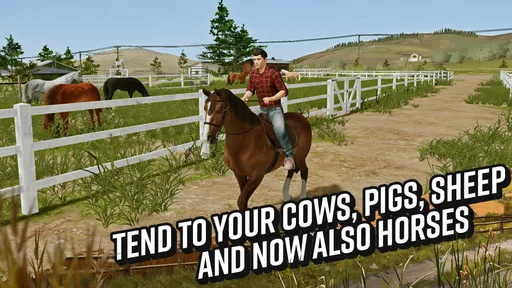
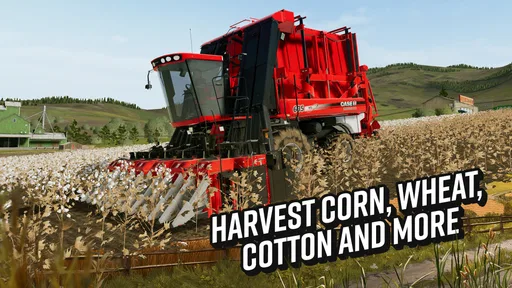
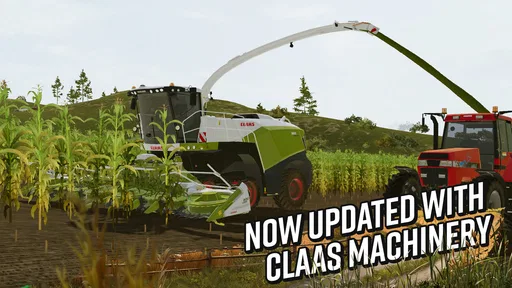
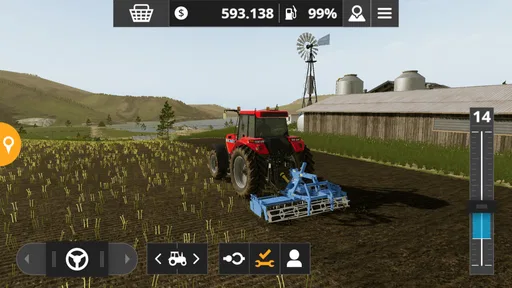
Our Review of Farming Simulator 20
 Analysis by Appyee
I often think a good shared-device game is one that lets people take turns without turning every handoff into a negotiation. Farming Simulator 20 suits that kind of household better than a game built around quick competition: one person can handle a field, another can choose what to do next, and the pace leaves room to chat. I’d treat it as a calm, hands-on simulation rather than a game everyone needs to play at once.
A quiet game to pass around
Picture a rainy afternoon when one person wants to play for a few minutes and someone else is curious about the farm. A useful way to share the session is to agree on a small task before handing over: finish a field, check the animals, or decide whether the next purchase is worth saving for. That gives each player a clear stopping point and makes the farm feel like a shared project, not a device someone has to keep hold of.
There is a trade-off, though. Farming is built around patient routines, so a younger or less experienced player may enjoy driving a machine more than dealing with the business side. I’d let a new player try the controls and choose a task before explaining every system. Too much coaching can make a relaxing game feel like homework, while a simple goal gives them room to learn by doing.
Setting expectations before someone plays
This is a paid game, listed at $4.99, with optional in-app purchases priced from $0.99 to $3.49 per item. For a shared tablet or phone, I’d check the purchase settings on the device before handing it to a child, rather than assuming the game itself will manage spending. That is a practical household precaution, not a claim about a particular family-control feature inside the game.
It is also worth agreeing on whose progress and decisions belong to the person playing. If several people use the same device, avoid treating the farm as a blank canvas for casual experimentation when someone else has invested time in it. A simple turn-taking rule—ask before changing plans or spending farm funds—can prevent the most likely disagreements without needing a complicated system.
How to share the work without making it a chore
The game’s slower rhythm can make it a surprisingly good fit for short breaks, but I wouldn’t expect every task to fit neatly into a two-minute turn. Before passing the device, I’d finish the current activity or explain what is in progress. That small habit helps the next person avoid interrupting a job halfway through and makes it easier to resume later without confusion.
For a household that enjoys planning together, take turns making one decision at a time: which crop to focus on, whether to expand, or what equipment would help next. The point is not to turn play into a committee meeting. It is to give everyone a way to contribute while keeping the final choice with the person currently playing. If one player prefers to optimize everything and another just wants to drive, those are different kinds of fun and can coexist.
Age, trust, and the kind of play it invites
The game is rated Everyone, which makes it easier to consider for a broad range of ages, but age suitability is only one part of a good fit. The important question for me is whether the player enjoys patient, practical tasks. A child who likes vehicles, routines, and seeing a job through may find plenty to enjoy; someone who wants constant surprises or rapid action may lose interest even if the content is suitable.
I’d also keep the purchase price and optional items in view when choosing it for a shared device. The game can be an appealing way to introduce planning and cause-and-effect in a relaxed setting, but I wouldn’t present it as a lesson or expect it to teach farming expertise. Its strongest appeal is the satisfaction of operating equipment and gradually shaping a farm at your own pace.
For context, this is a simulation game from GIANTS Software, released on December 3, 2019. Its current Android version is 0.0.0.90 - Google, and it requires Android 7.0 or later. The game has a 3.7 average from around 48,000 ratings, with more than a million installs. I’d read that rating as a reminder that this focused style will not click with everyone, rather than as a substitute for asking whether the farming loop sounds enjoyable to you.
Getting Your Hands Dirty
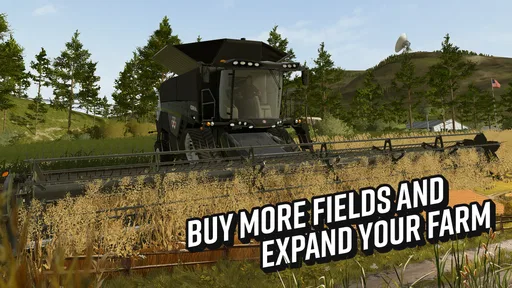
Right from the get-go, Farming Simulator 20 immerses you in the rural life. You start with a modest plot of land, a couple of machines, and a pocket full of dreams. The game’s mechanics are pretty straightforward, but don’t let that fool you – there’s complexity hidden beneath the surface. You’ll need to plant, tend, and harvest your crops, all while managing livestock and expanding your farm.
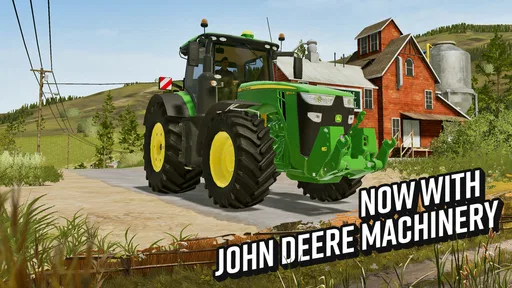
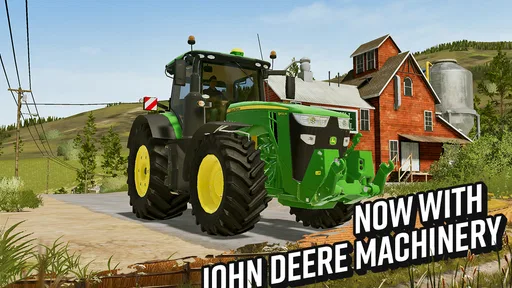
The controls are intuitive, whether you’re playing on Android or iOS. I found the touch controls surprisingly responsive, making it easy to navigate my massive fleet of tractors and combines. And yes, there’s a wide selection of realistic vehicles from major brands like John Deere, which adds a layer of authenticity to the whole experience.
The Visuals and Soundtrack
One of the first things you’ll notice is the stunning graphics. For a mobile game, Farming Simulator 20 doesn't skimp on visual appeal. The landscapes are beautifully rendered, with detailed environments that change with the seasons. It’s the kind of game where you might find yourself pausing just to take in a digital sunrise.
And the soundtrack? It's like having a country playlist running in the background. The ambient sounds of tractors and animals add to the immersion, making you feel like you’re right there in the heart of farm country.
Gameplay and Features
The gameplay loop is simple yet addictive. You plant your crops, wait for them to grow, and then harvest them. But it’s not just about planting and harvesting. You also have to manage your farm's economics, buy new equipment, and take care of animals. It’s a balancing act that keeps you engaged.
One feature that stands out is the ability to switch between first-person and third-person perspectives. It gives a fresh angle on the farming experience, especially when you’re driving around in your tractor. Also, the multiplayer mode adds a social element, allowing you to farm in tandem with friends.
However, the game isn’t without its challenges. It takes time to get the hang of optimizing your farm for maximum productivity. But once you do, the sense of achievement is quite rewarding.
Is It Worth the Download?
If you’re someone who enjoys simulation games, Farming Simulator 20 is definitely worth checking out. It offers a blend of relaxation and strategy, making it a great way to unwind while still engaging your brain. The attention to detail in both the machinery and the farming processes sets it apart from other mobile simulators.
Compared with casual farm games that lean on quick rewards, bright prompts, and simplified routines, this one asks for more patience and attention to operating machinery. That is its appeal if you want a grounded vehicle-and-farm routine, but it also means it is not the best choice for someone seeking a short burst of action or a story-led game. If you mainly want to decorate a farm or collect items with little planning, a lighter farming title may suit you better.
When I want to make progress without turning a session into a long project, I choose one manageable objective and stick to it instead of trying to reorganize the entire farm. That keeps the decision-making readable: complete a job, see how the farm is doing, then decide whether to continue. It is also a good way to learn which parts of the routine you actually enjoy before committing more time to expansion.
A useful trade-off to keep in mind is that a large vehicle selection can make choosing equipment feel exciting, but it can also tempt you to spend before you understand what will help your current work. I’d first identify the task that is slowing me down, then consider whether a purchase solves that specific problem. This makes the economic side more satisfying than buying machinery simply because it looks impressive.
Likewise, changing between first- and third-person views is more than a novelty if you use it deliberately. I prefer to choose the view that makes the current driving task easiest, rather than sticking to one camera out of habit. If a turn or approach feels awkward, changing perspective can help me judge the vehicle’s position; for a more scenic drive, the other view may be more enjoyable. It is a small adjustment, but it helps the controls feel less demanding.
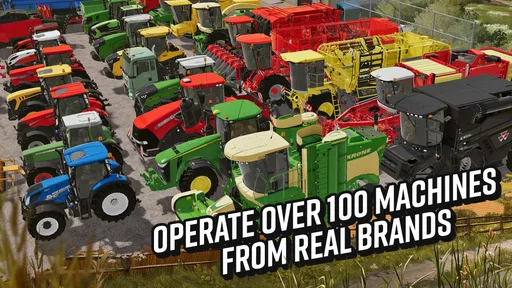
The large vehicle roster is a central part of the experience, not just decoration. With over 100 authentic farming vehicles and tools, there is plenty to browse, but I wouldn’t treat the number as a promise that every machine is equally useful to every player. The practical question is whether you enjoy learning how different equipment fits into farm work. If vehicle variety is what draws you in, that range is a real strength; if you would rather automate or skip the driving, it may feel like detail you do not need.
While the original release information dates the game to December 3, 2019, the version available for Android is listed as 0.0.0.90 - Google. The age rating is Everyone. I’d still judge the experience by the player’s temperament and the household’s purchase arrangements: a suitable content rating does not mean every child will enjoy slow planning, and optional purchases are a reason to set clear expectations on a shared device.
While it might not be for everyone – especially if you’re looking for fast-paced action – it’s perfect for those who appreciate a slower, more methodical gaming experience. And with regular updates, there’s always something new to explore.
So, if you're ready to dive into the world of farming, grab your virtual overalls and download the app. You might just find yourself getting lost in the fields for hours on end.
My household verdict
I’d recommend it to people who like vehicles, practical routines, and a bit of planning, especially if they are happy to share a device by taking turns and agreeing on farm decisions. It can work well for a quiet evening or a rainy afternoon, when there is no need to rush through a match or compete for a quick win. The farm gives players a common subject to talk about, while the individual tasks still leave room for each person to play in their own way.
I’d skip it if your household wants everyone playing simultaneously, expects instant action, or prefers a game that guides every decision with constant prompts. I’d also think twice if a shared device has no clear boundaries around optional purchases or other people’s progress. For the right players, though, the appeal is easy to understand: it turns farming into a steady cycle of decisions, driving, and visible progress. My recommendation is simple—choose it for a patient player or a household that enjoys cooperative turn-taking, not because the word “farm” sounds universally relaxing.
Verdict
Strengths of Farming Simulator 20
- Realistic graphics and environments.
- Wide variety of farm equipment.
- Seamless control interface.
- Offline play available.
- Regular updates enhance gameplay.
Limitations of Farming Simulator 20
- Limited multiplayer features.
- Occasional in-game lag.
- High device storage requirement.
- Purchase of additional content.
- Learning curve for new players.
Other Releases by GIANTS Software
View All
Farming Simulator 23 Mobile
Simulation4.4
Similar Picks in This Category
View All
Truckers of Europe 3
Wanda Software4.3

Town Building Life Simulator
XGame Global4.2

Fidget Toys Trading・Pop It 3D
Freeplay Inc4.7

Sculpt People
CrazyLabs LTD4.4

Scary Teacher 3D
Z & K Games4.2

Hair Tattoo: Barber Shop Game
CASUAL AZUR GAMES4.3
Frequently Asked Questions
What are the main features of Farming Simulator 20?
Farming Simulator 20 offers a comprehensive farming experience with over 100 vehicles and machines from leading brands like John Deere. Players can manage crops, tend to livestock, and explore a vast open world. The game also features a detailed economic system, allowing players to sell produce and expand their operations.
Is Farming Simulator 20 available offline?
Yes, Farming Simulator 20 can be played offline. This feature allows players to enjoy the game without an internet connection, making it convenient for users in areas with limited connectivity. However, some features, like updates or additional content, may require an internet connection.
What devices are compatible with Farming Simulator 20?
Farming Simulator 20 is available on both Android and iOS devices. It is optimized for a wide range of smartphones and tablets, but it's important to check the specific system requirements on the app store to ensure compatibility and optimal performance on your device.
Are there in-app purchases in Farming Simulator 20?
Yes, Farming Simulator 20 includes in-app purchases. These purchases allow users to access additional content, such as new vehicles or upgrades, that can enhance the gameplay experience. While the game is fully playable without these purchases, they provide optional enhancements for dedicated players.
How realistic is the gameplay in Farming Simulator 20?
Farming Simulator 20 is known for its realistic simulation of farming activities. It features authentic machinery, detailed crop cycles, and realistic animal husbandry. The game’s graphics and mechanics aim to provide an immersive experience, making it a favorite among simulation enthusiasts who enjoy detailed, realistic gameplay.
Play our best games!


